Product planning for software teams
Plan your product visually. Ship it with agents you control.
Rachna reads your repositories into a product graph. Plan features on it, write PRDs from it, and save each change to Git.
- 01Plan
- 02PRD
- 03Git
- 04Tickets
- 05Fleet
- 06Ship
ProductYour repo
CapabilityPlanning
FeatureSave to Git · PRD
DecisionUse a GitHub App
Pull requestBy your fleet
Paper colour shows the node type.
SOC 2 ready.
Your repositories stay yours.
Agents never push without approval.
Features
What Rachna does today
These features are live or partly live. Open a group to see its features and screens.
01 · Plan visually
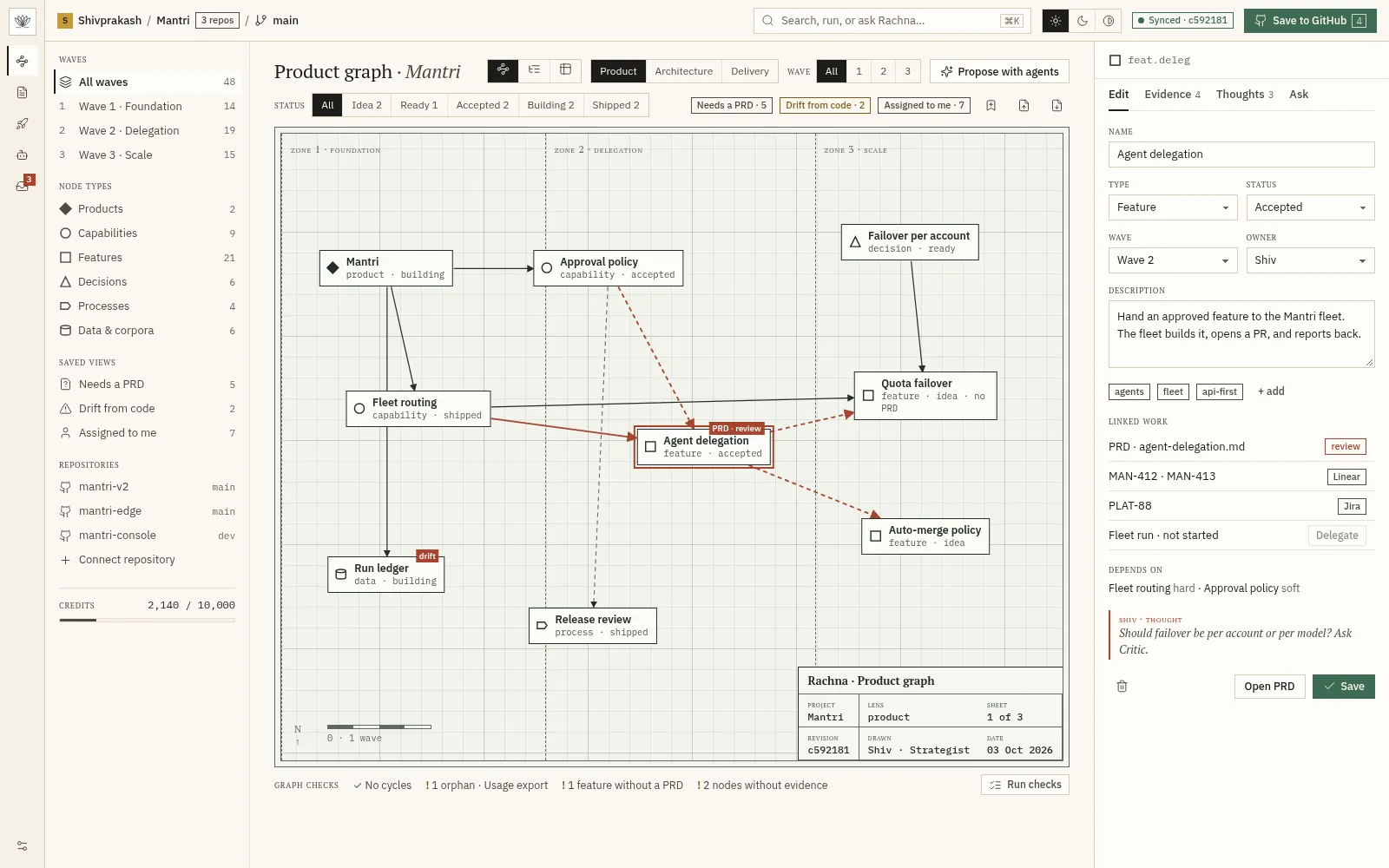
Products, features, and decisions on one graph.
5 features
- Product graph canvasTyped nodes for products, capabilities, features, decisions, processes, and data. Drag, connect, and zoom.
- Node editorEdit name, type, status, wave, owner, tags, and description in the side panel.
- Hard and soft edgesMark each dependency as hard (blocks) or soft (informs), with a reason. Edges inferred from code show as unconfirmed.
- Graph, tree, and table viewsSee the same nodes as a graph, an outline, or a sortable table.
- Import and exportMove a graph in and out as a JSON bundle.
02 · Understand the code
The plan cites the real code.
4 features
- Connect repositoriesInstall the GitHub App and attach one or more repositories to a product.
- Repository syncRead one exact revision. Re-sync on demand or on every merge.
- Evidence and citationsEvery node shows the files, lines, and commit that support it, with a confidence score.
- Refresh graph from codeRe-read the repositories and propose graph updates as a ChangeSet.
03 · Write it down
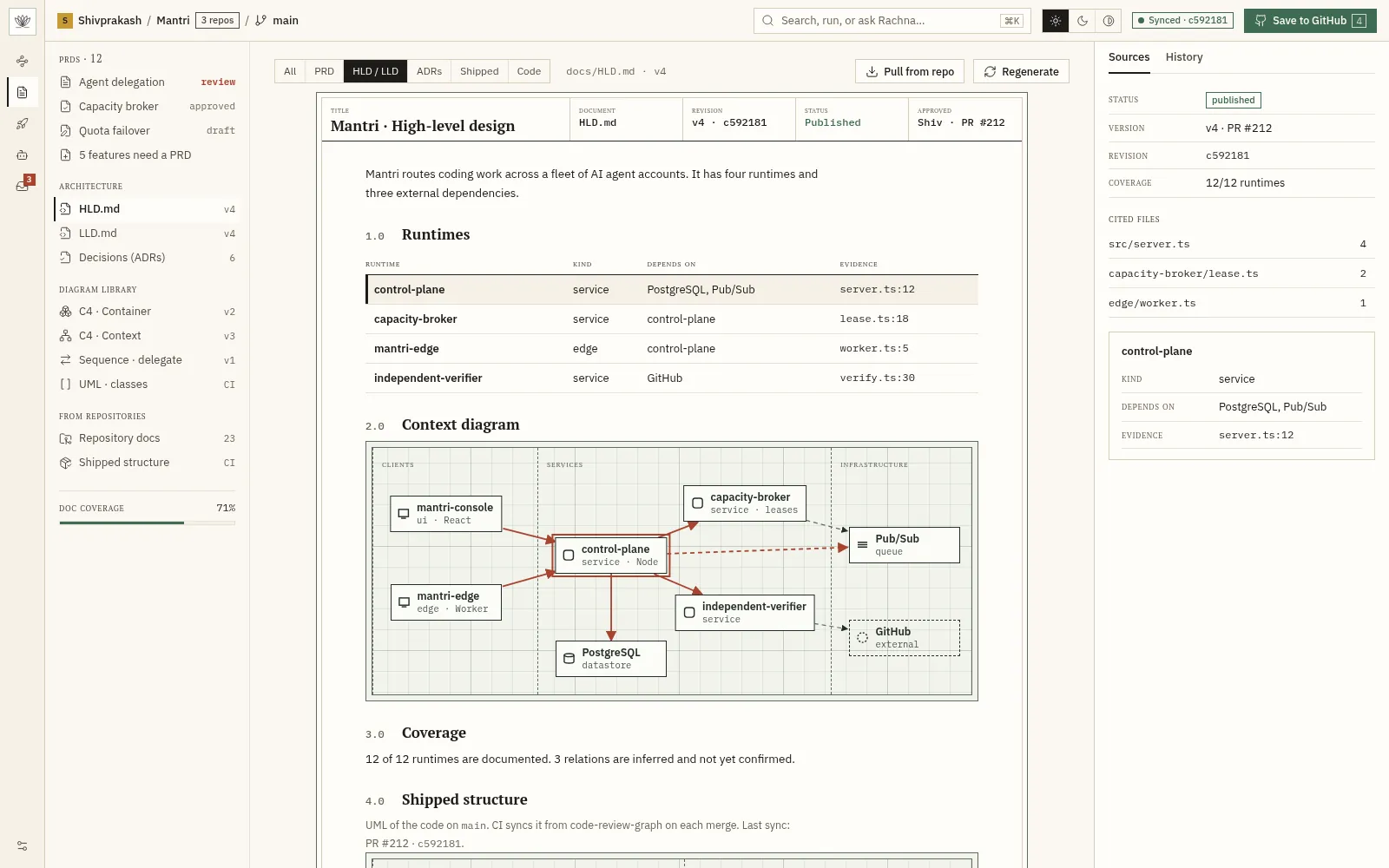
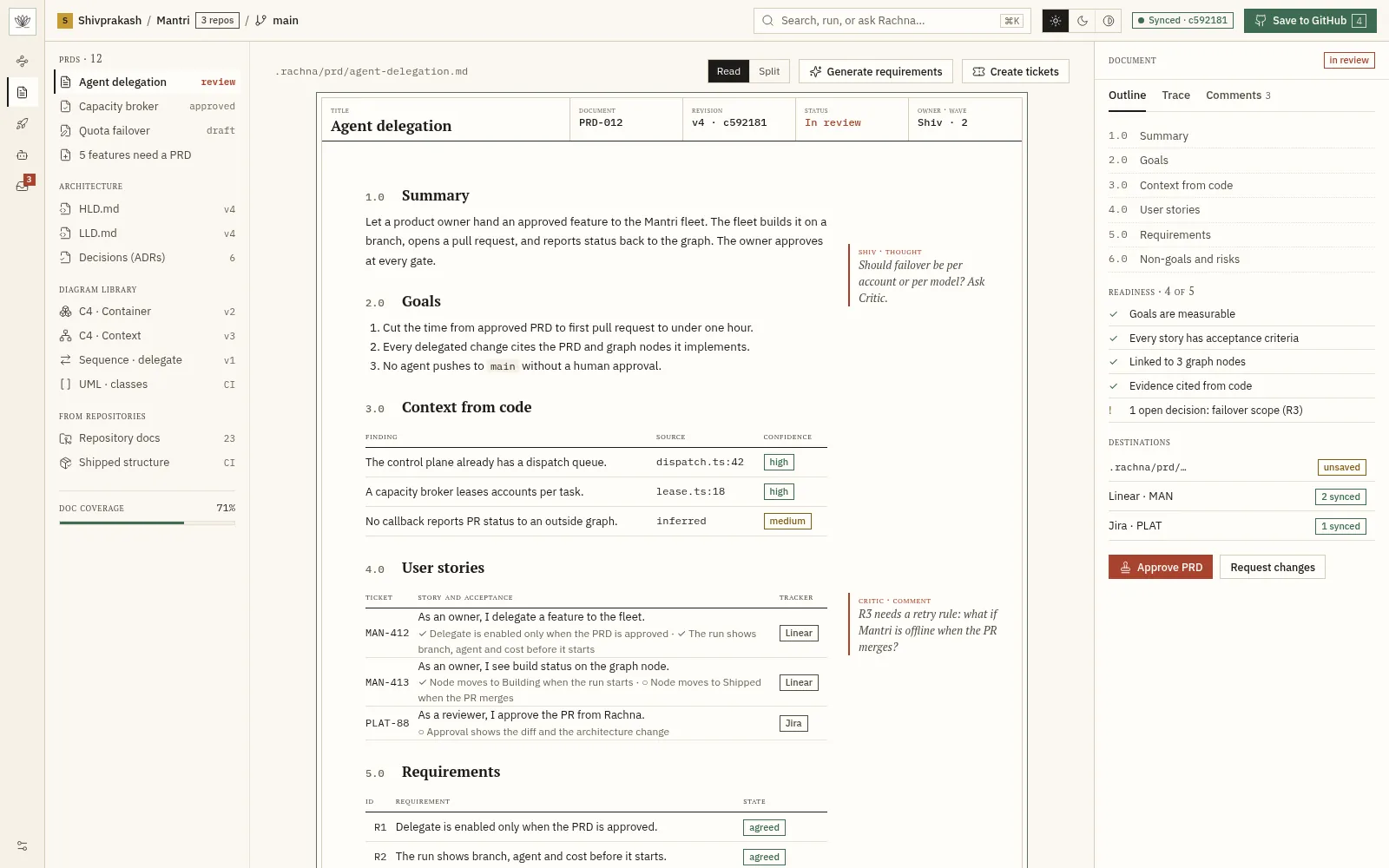
Turn graph nodes into PRDs, docs, and diagrams.
4 features
- PRD editorOne PRD per feature, with read and split-edit modes. Front matter links the PRD to its node and tickets.
- HLD and LLD generationGenerate cited architecture documents from the graph and the code.
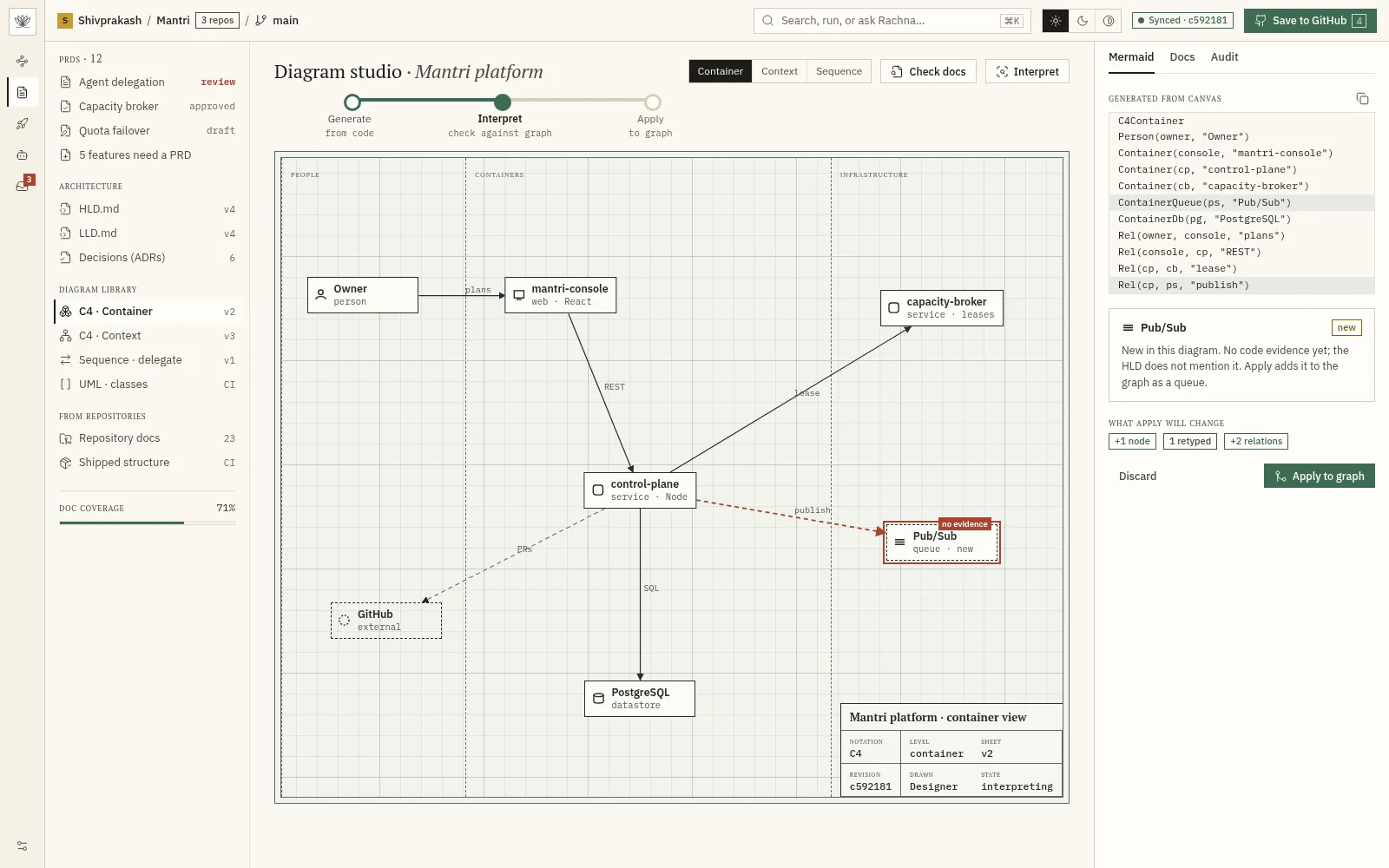
- Diagram studioDraw HLD, LLD, C4, UML, sequence, and freeform diagrams on a canvas.
- Generate, interpret, applyGenerate a diagram from a prompt, interpret it, then apply it to the graph after review.
04 · Persist to Git
Approved changes are saved to your repository.
3 features
- Save to GitHubSave the graph, PRDs, and docs to the repository through a pull request.
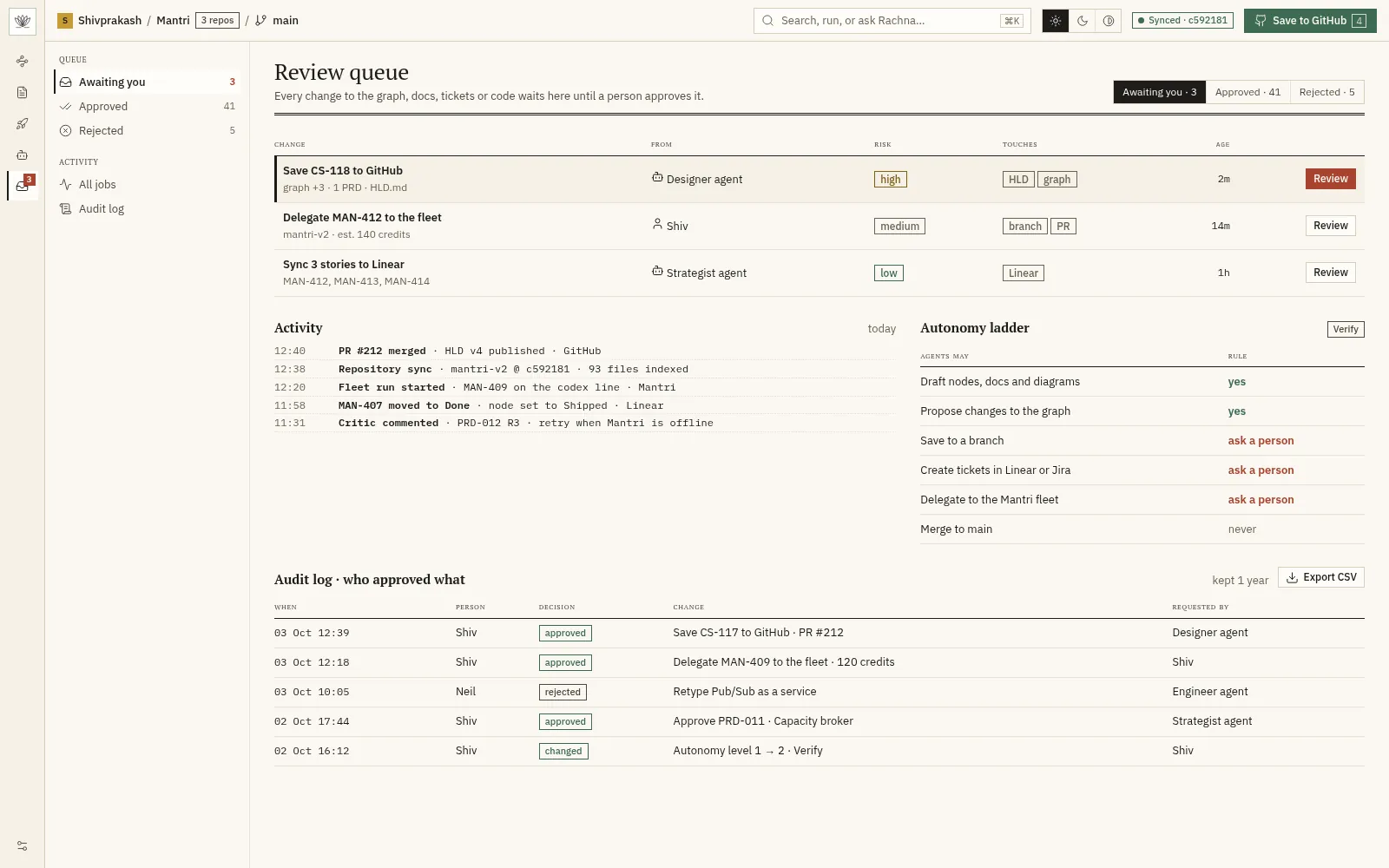
- ChangeSet approvalReview a diff, an architecture change view, and checks before anything is written.
- .rachna folderStore the graph, PRDs, and agent tasks in a .rachna folder in the repository.
05 · Execute and ship
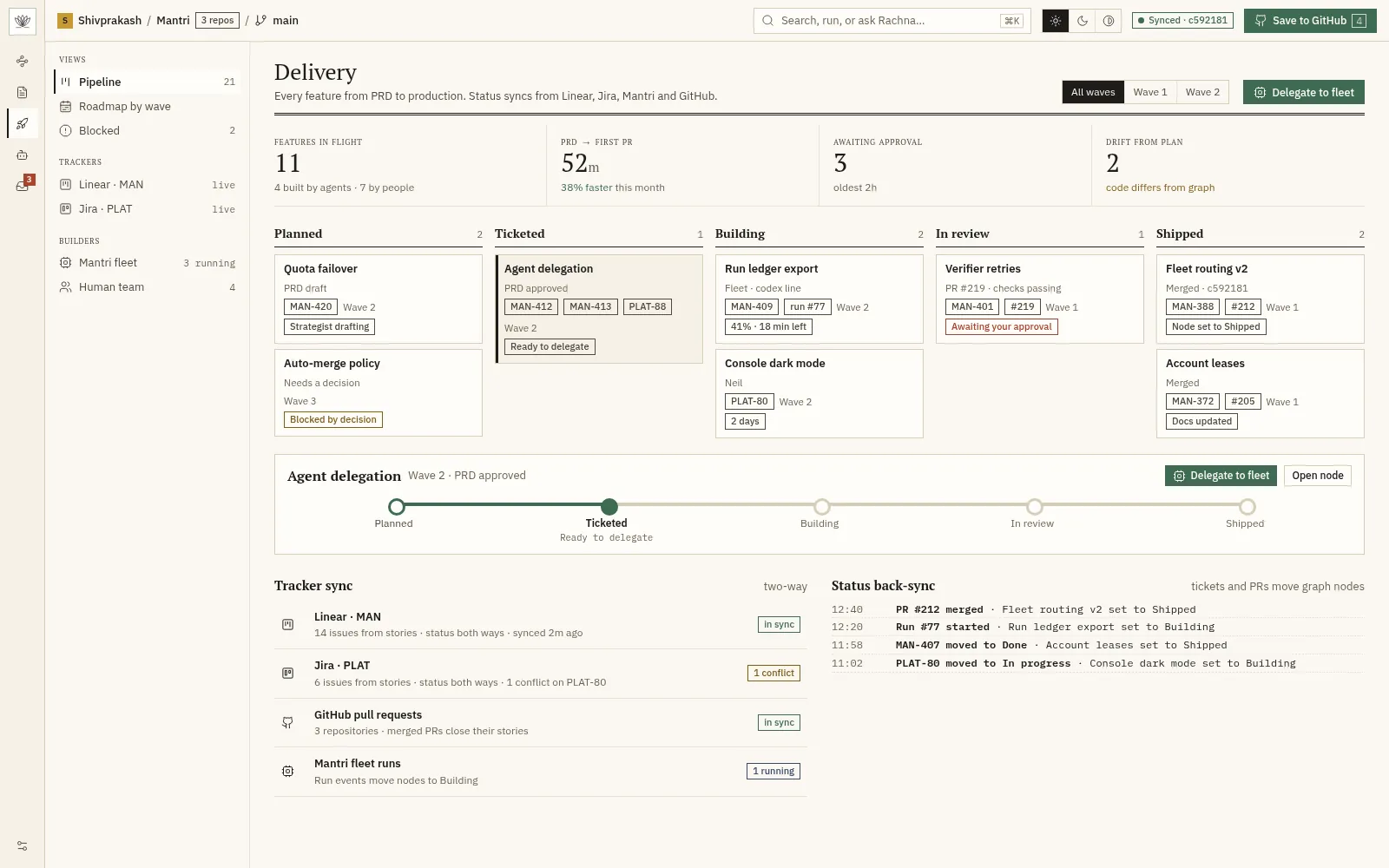
Send work to Linear, Jira, and Mantri.
Planned
Planned Not available yet. The screen is a design preview.
06 · Agents, human control
Agents draft. People set limits and approve.
5 features
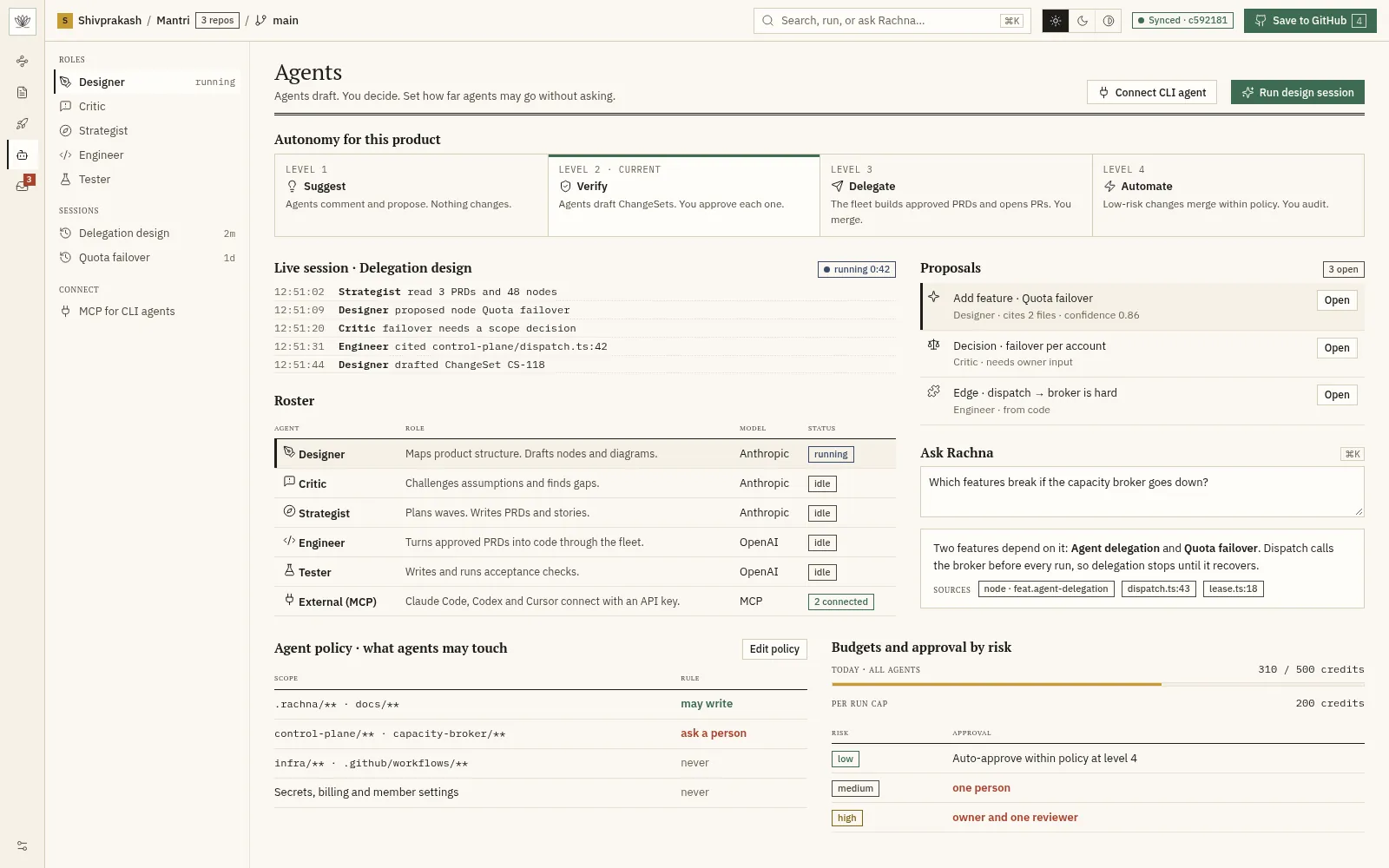
- Agent rolesDesigner, Critic, Strategist, Engineer, and Tester agents, each with one clear job.
- Autonomy ladderSet Suggest, Verify, Delegate, or Automate for each product.
- Review queueOne queue for every change that waits for a person.
- Ask RachnaAsk questions about the graph and the code. Answers cite their sources.
- Activity logSee every sync, run, merge, and status change on one timeline.
07 · Teams and organisation
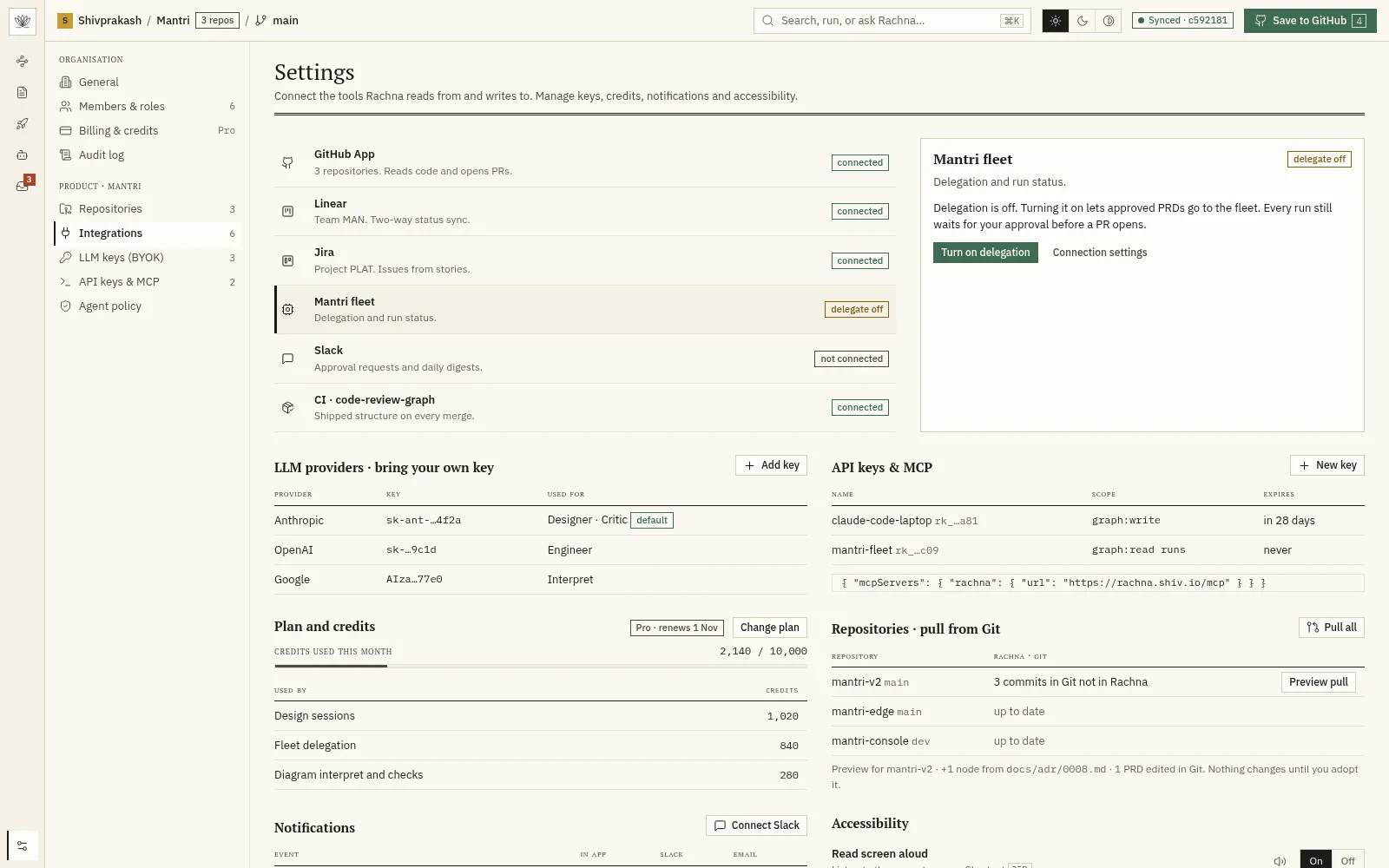
Organisations, sign-in, billing, and integrations.
5 features
- Organisations and rolesCreate organisations, invite members, and assign roles.
- Sign-in optionsGoogle, GitHub, and one-time email codes. SSO later.
- Billing and creditsSubscription plans with a visible credit meter.
- Agent policyLimit what agents can touch, set budgets, and require approval by risk level.
- Integrations hubOne page for GitHub, Linear, Jira, Mantri, Slack, and CI, with connection health.